A Printable + Digital Stop-Motion Activity Book

Bring Anything on Your Desk to Life, One Frame at a Time

Go from "I don't know where to start" to your first real animation. No expensive software, no AI, just a coin, some string, and the phone in your pocket.

(Even if you've never animated a single frame in your life.)

Kevin walks you through your first activity
Your first animation: a coin on a string

Imagine posting your first clip and watching people stop scrolling. A little paper character walks across the screen. A coin swings on its own. And the comments start: "Wait, how did you make that?" You made it. By hand. One frame at a time.

Imagine animating a LEGO minifig mid-jump, or a pencil that gets up and walks across your desk. The kind of clips you've scrolled past a hundred times and thought, "I could never make that." You're about to find out you were wrong.

Imagine realizing it was never about fancy software or being a born artist. It comes down to timing. And timing is something you can learn this weekend, at your kitchen table, with things you already own.

A pencil. A path to follow. A pile of LEGO. The method is exactly the same. What you bring to life is up to you.

A Pencil

Follow a Path

Your LEGO

Don't Know Where to Start? Let's Start With the Fun Stuff

The first time you see stop-motion, it looks like it takes a studio, a degree, and a pile of gear. It doesn't. You don't need to draw. You don't need to paint. You don't need to write code, buy software, or type a prompt and wait for an AI to hand you a clip that looks like everyone else's.

You need a coin, a piece of string or tape, and the phone already in your pocket.

Most guides bury you in theory first. This one does the opposite. You'll have a coin swinging on a string, filmed and playing back like real animation, in your very first sitting. You learn it the way it actually clicks: by doing the fun part immediately.

You move a real object a little. Snap a photo. Move it again. That's the whole secret, and it's made entirely by you.

That is the opposite of letting a machine do it for you. It's slower, it's hands-on, and it uses your brain. Which is exactly why, when it plays back and that object is suddenly alive, it feels like magic. Because you did that.
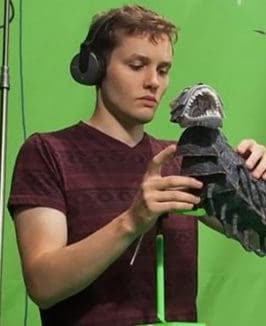

Kevin Parry animating a Kubo creature puppet on the LAIKA film set
9M+ followers 15 years animating LAIKA: Kubo & the Two Strings Nike · Google · LEGO · Apple · YouTube

Kevin Parry

Stop-motion animator & video wizard

Hi, I'm Kevin. I've spent 15 years as a stop-motion animator and visual-effects artist. I animated on LAIKA's feature films, including Kubo and the Two Strings, and I've built hand-made effects videos for Nike, Google, LEGO, Apple, and YouTube.

These days I share my work with more than 9 million people across Instagram, TikTok, and YouTube. The videos people love most aren't the ones with the biggest budgets. They're the ones where I move a real object, one frame at a time, with my own hands.

Nobody told me this when I started: you don't need any of the expensive stuff to learn this. My first animations were made with junk around the house. So I built this activity book to teach it the way I wish someone had taught me. By actually doing it, starting with a coin and a piece of string.

If you've ever watched something I made and thought "I want to do that," this is where you start.

That's his actual feed. Millions of people already follow Kevin's handmade animation. Now he's showing you exactly how it's done.

Introducing: How to Animate

How to Animate is a printable, do-it-yourself stop-motion activity book. Instead of dense text and lecture videos, it hands you clever printable templates. You print a page, set a household object on it, and follow the guide to move it frame by frame. Your phone does the filming. Your hands do the animating.

It's built around the one thing most beginners never get taught properly: timing and spacing. That's the difference between movement that looks stiff and movement that feels alive. By the end, you won't have just watched someone animate. You'll have done it yourself, and you'll know how to do it again with anything you pick up.

Print the templates as many times as you want, forever. Once it's yours, it's yours.

What You'll Make, Step by Step

Five hands-on activity sets. You'll be animating in the very first one.

Activity Set 1

Set Up in 10 Minutes

Everything you need before your first frame, all of it free or already on your desk.

  • The free phone app that turns your camera into a stop-motion studio (no paid software, ever)
  • How to hold your phone steady with stuff you already own, so your shots don't jump around
  • The one lighting trick that makes a kitchen table look like a real set
  • Capture your very first frame by the end of this set

Activity Set 2

Your First Move: The Pendulum

A coin, a piece of string, and a printed guide. This is where it clicks.

  • Animate a coin swinging on a string by following the printed motion guide, dot by dot
  • How frames become movement, and why playing it back the first time feels like a magic trick
  • The simple rhythm that keeps your swing smooth instead of jerky
  • Walk away with a finished, looping clip you made from scratch

Activity Set 3

Timing & Spacing: The Secret to All of It

The professional principle hiding inside every great animation, made simple.

  • Why evenly spaced movement looks robotic, and the small change that makes it feel alive
  • How spacing creates the illusion of weight, speed, and snap
  • The printable spacing guides that do the math for you
  • The exact idea LAIKA and Pixar animators use, stripped down to something you can feel in five minutes

Activity Set 4

Bring an Everyday Object to Life

A pencil, a sock, a piece of fruit. Give it personality and watch it act.

  • Anticipation and follow-through: the two moves that make an object look like it has a mind of its own
  • Squash and stretch with things that don't actually squash, using clever framing
  • How to give a plain object a "character" so people feel something when it moves
  • Animate a household object walking, hopping, or reacting from start to finish

Activity Set 5

Make Your First Shareable Clip

Turn your practice into something you're proud to post.

  • Simple staging and backdrops that make a clip look finished, not like a test
  • How to loop it so it plays forever and stops the scroll
  • Export settings that keep it crisp on any platform
  • Where to go next once you're hooked, including making your own LEGO movies

3 Free Bonuses

Free Bonus A bell pepper with a stop-motion face, the kind of everyday object you can bring to life

$17 value. Yours free.

The Household Objects Cheat Sheet

Never stare at your desk wondering what to animate. A printable guide to the best everyday things to bring to life, and why each one works.

  • The objects that are easiest to animate when you're brand new
  • What to look for in an object so it reads clearly on camera
  • A starter list you can pull from any room in your house
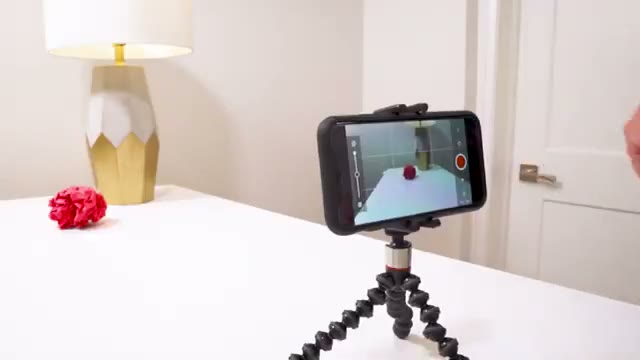
Free Bonus A smartphone on a small tripod filming a stop-motion shot

$19 value. Yours free.

Phone Rig in 5 Minutes

Shaky footage is the number one thing that makes a beginner clip look bad. Fix it for free with stuff you already own.

  • Build a rock-steady phone setup from books, clips, and a lamp
  • The angle that hides your hands and shows only the magic
  • How to keep your light from flickering between frames
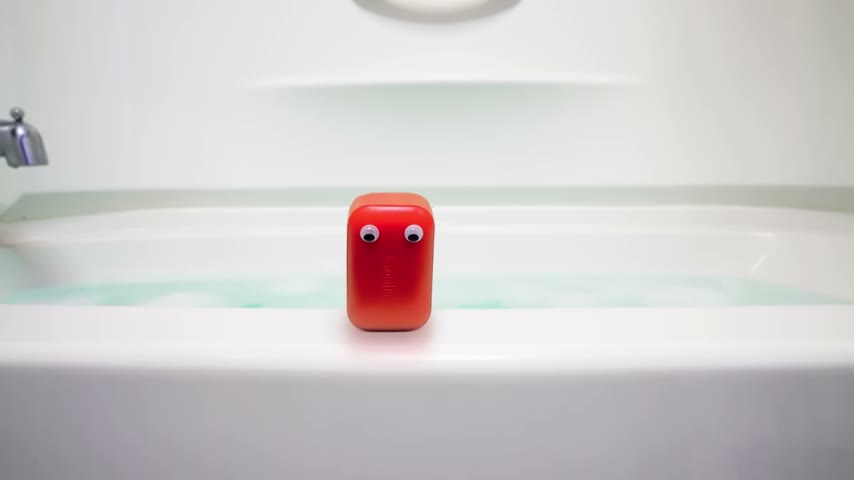
Free Bonus A finished stop-motion character, the kind of clip you'd want to post

$15 value. Yours free.

The "Post It" Starter Kit

You made something cool. Now share it without overthinking. A simple kit for getting your first clip out into the world.

  • Export presets so your clip looks right on every app
  • A few hook and caption ideas to stop the scroll
  • How to turn one clip into a reason to make the next one

Get Everything for $27

How to Animate normally sells for $47.

Right now, during the launch of the digital edition, you get the complete activity book, all five activity sets, every printable template, and all three bonuses for $27. This is the launch price. It goes up after launch.

  • The complete How to Animate activity book + printable templates $47
  • Bonus: The Household Objects Cheat Sheet $17, FREE
  • Bonus: Phone Rig in 5 Minutes $19, FREE
  • Bonus: The "Post It" Starter Kit $15, FREE
  • Lifetime access. Print the templates forever. included

Total value $98

One-Time Payment. Instant Download.

$47 $27
Get Instant Access to How to Animate Now

Lock in the launch price before it goes up.

🔒 Secure Checkout All Cards Accepted 30-Day Money Back Instant Download

Maybe You're Thinking...

"I'm not artistic. I can't even draw." Good news: you don't draw anything. You move objects and press a button. The printed templates handle the hard part. If you can slide a coin along a line of dots, you can do this.

"Why make it by hand when AI can spit out a video?" Because made-by-hand is the entire point. A prompt gives everyone the same look. A thing you animated yourself is unmistakably yours, and people can feel the difference. This is the skill, the real one, that no machine can hand you.

"I don't have time for something complicated." Your first animation happens in one sitting, with a coin and a string. Not next month after you've studied. Today.

30-Day Guarantee

Make Something, or Pay Nothing

Get instant access right now and try it. Print a template, grab a coin, and follow along. If within 30 days you don't make something that surprises you, or you simply decide it isn't for you, send one email and you'll get every cent back within 24 hours. No questions, no hoops, no awkward back-and-forth. The only risk here is finding out you're better at this than you thought.

Questions, Answered

The moment you buy, you get an instant digital download: the full How to Animate activity book plus every printable template, and all three bonuses. Open it on your phone, tablet, or computer. Print the templates at home, or film straight off the screen if you don't have a printer.

None. This is built for people who have never animated anything. You don't draw, paint, or sew. You move real objects along a printed guide and your phone captures it. If you can follow a row of dots, you're ready.

A phone or tablet, and household objects: a coin, some string or tape, paper, a pencil, things you already have. A printer helps for the templates but isn't required. The only app you need is free. No cameras, no software, no special gear.

The opposite. This is handmade stop-motion. You move a real object a little at a time and photograph each step. There's no prompt and no generated video. The whole point is building a real skill with your own hands, the kind people can tell you actually made.

Your first sitting. Activity Set 2 walks you through animating a swinging coin from start to finished clip. Most people have something playing back within the first hour.

Both. The technique is simple enough for a 10-year-old and deep enough that professionals use it on feature films. You decide how far you take it, whether that's posting fun clips or building toward bigger projects like LEGO movies.

Yes, as many times as you want, forever. It's yours to keep and reuse for every animation you make.

Yes. One payment of $27, no subscriptions, no recurring charges, no upsells waiting on the other side. You buy it once and it's yours.

Free tutorials show you scattered fragments with no path connecting them. This is one structured route from your first frame to a finished, shareable clip, built around the timing-and-spacing method that actually makes animation look good. No guessing, no piecing it together from ten different people.

Completely. Checkout is secure and encrypted, and your payment details are never stored on our servers. It's the same protection you'd expect from any major store.

Grab a Coin. Let's Start.

I still remember the first time I made something move that wasn't supposed to. A little object on my desk, suddenly alive, because of me. Fifteen years later, that feeling is still the whole reason I do this. You're one coin and one piece of string away from it. Let me show you where to start.

Kevin Parry

One-Time Payment. Instant Download.

$47 $27
Get Instant Access to How to Animate Now

One-time purchase. Print the templates forever. 30-day guarantee.

🔒 Secure Checkout All Cards Accepted 30-Day Money Back Instant Download